Rewards
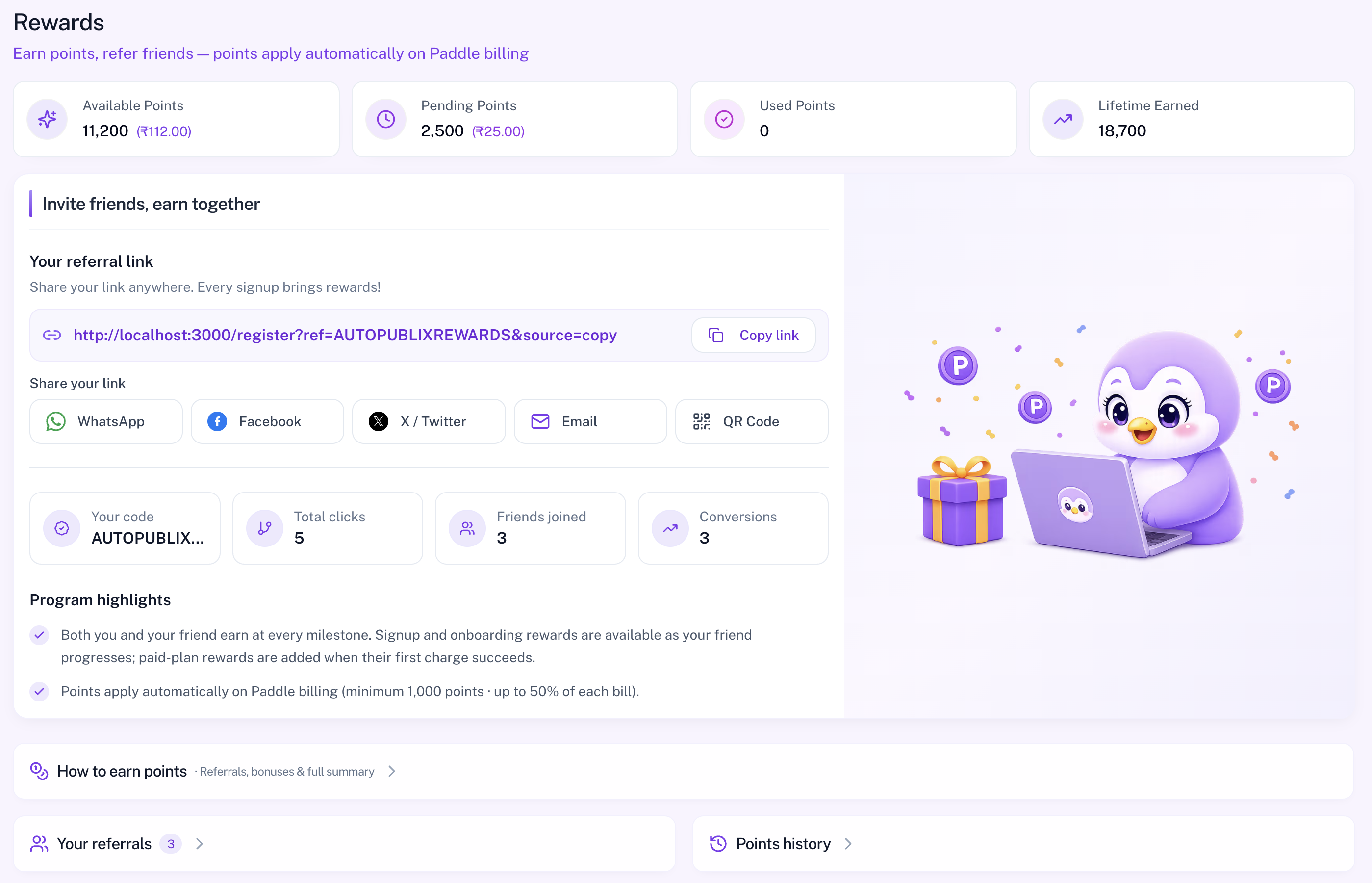
The Rewards hub is where you earn points, refer friends, and see how points apply automatically on Paddle billing. The page subtitle in the product is: Earn points, refer friends — points apply automatically on Paddle billing.
Your wallet always belongs to your personal login. The Rewards menu is hidden when you are managing another account through Share My Access, and you never see the owner's points.
To open this page, navigate to:
Navigation: Dashboard → RewardsWhat You Can Do on This Page
- Claim one-time legacy reward points (when the claim banner is shown)
- Review Available, Pending, Used, and Lifetime wallet totals
- Copy or share your referral link (WhatsApp, Facebook, X, Email, QR)
- See referral stats: code, clicks, friends joined, and conversions
- Open How to earn, Your referrals, and Points history
- Learn when points become available and how they apply at checkout
Claim Your Reward Points
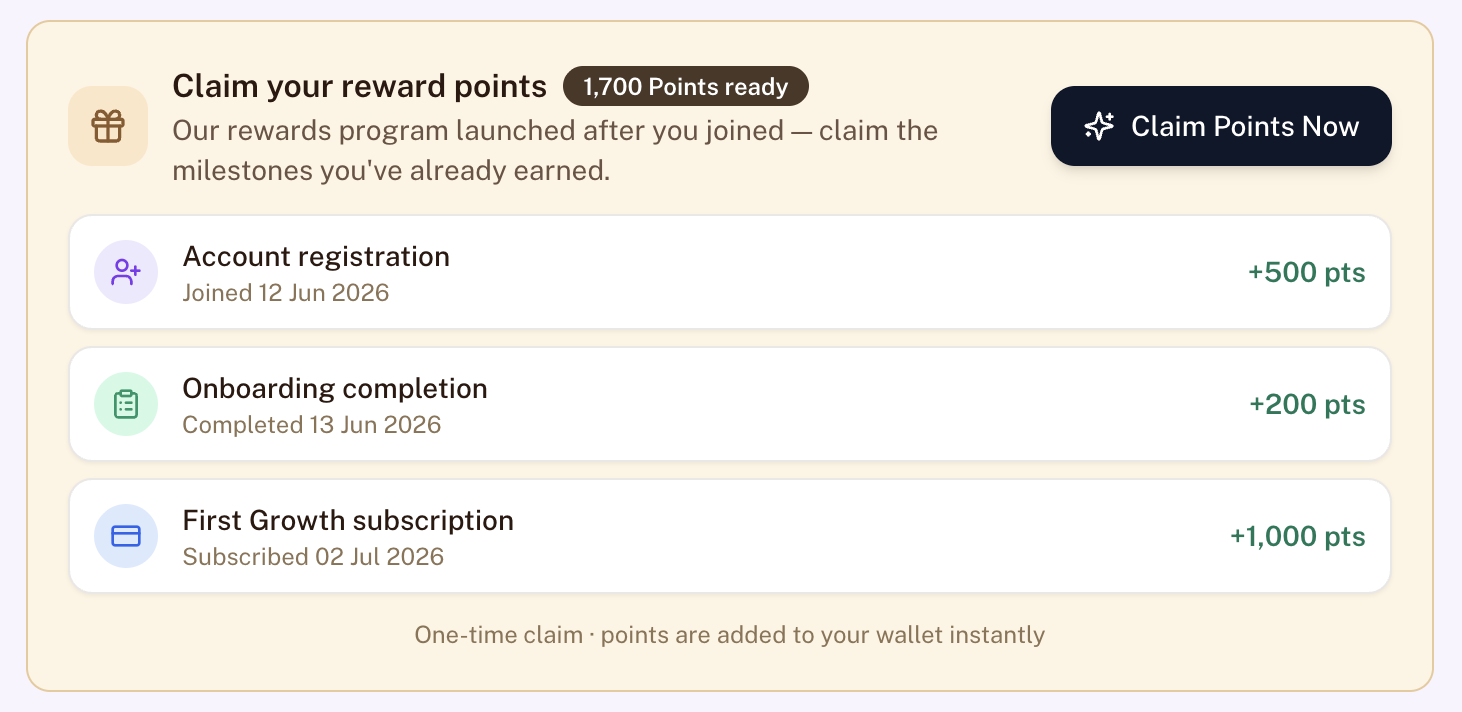
Some accounts see a Claim your reward points banner. This appears for users who joined before the rewards program launched and still have unclaimed milestone points (for example registration, onboarding, or first subscription).
- Review the breakdown of ready points.
- Click Claim Points Now.
- Points are added to your wallet instantly. This claim is one-time.
Points Wallet
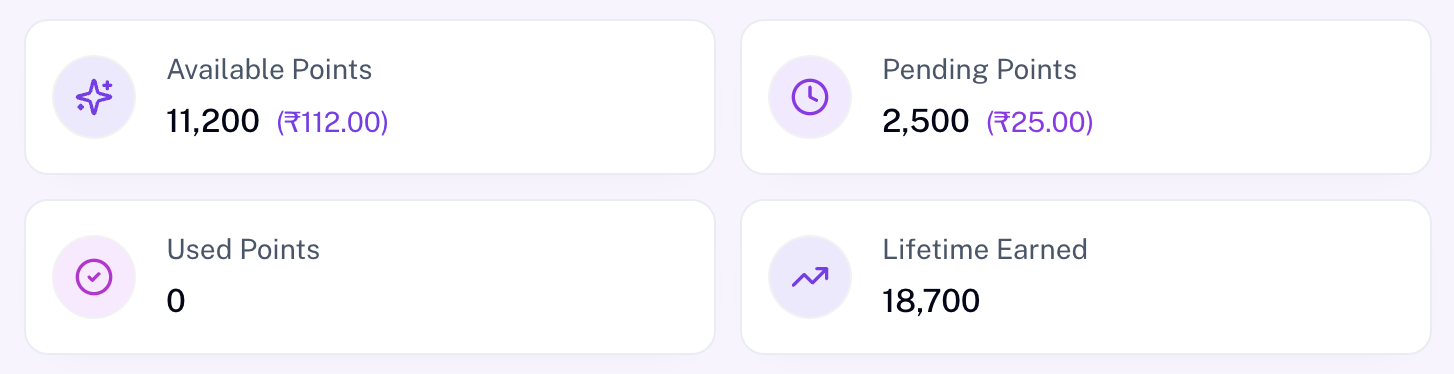
Four summary cards show your wallet status:
- Available Points — ready to apply on eligible Paddle bills (also shown as money value)
- Pending Points — earned but not yet released
- Used Points — already applied to bills
- Lifetime Earned — total points earned over time
Conversion display: 100 points = ₹1 or 10,000 points = $1, depending on your billing currency. Available points do not expire. Pending points can be forfeited if a related plan is cancelled before the first paid charge succeeds.
Invite Friends, Earn Together
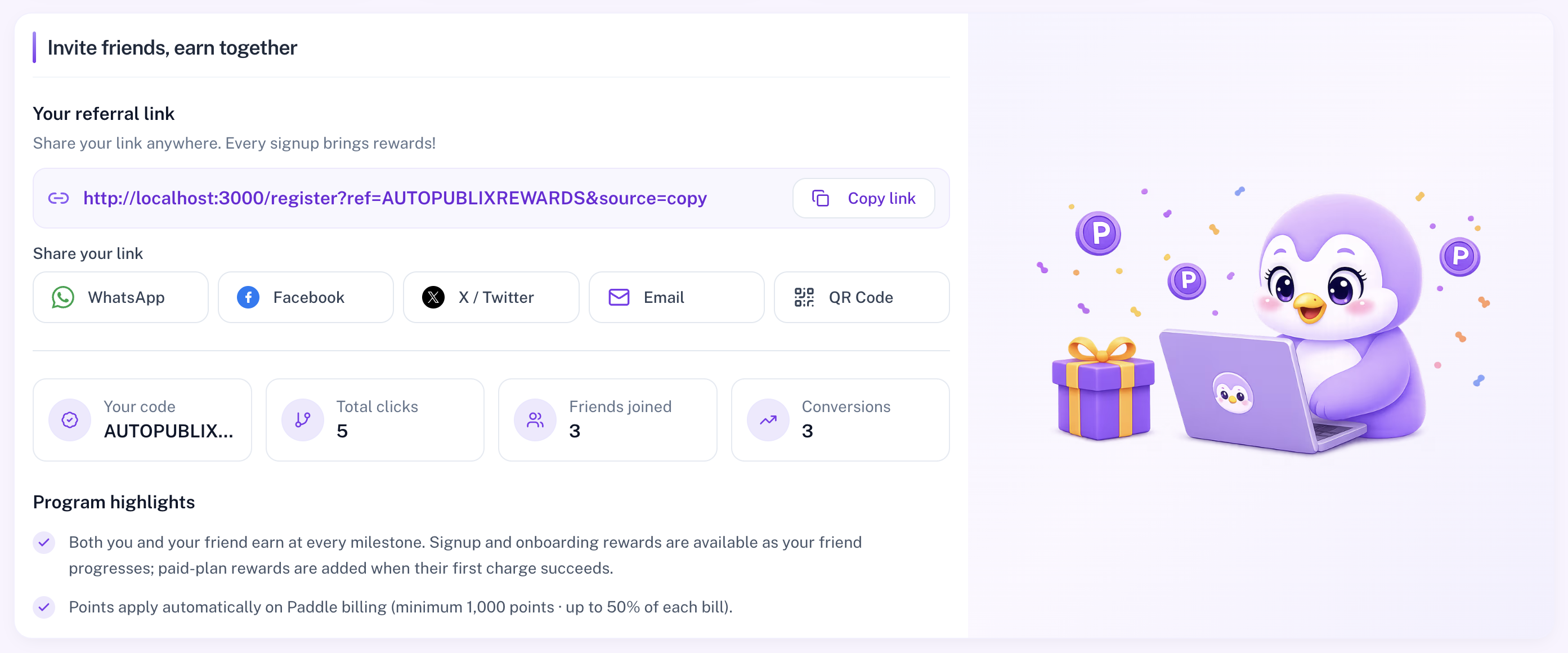
Use the invite section to share your personal referral link:
- Copy the link, or share via WhatsApp, Facebook, X, Email, or QR Code.
- For email invites, enter up to 10 addresses per send (up to 50 invite emails per day). You can re-invite the same address after 30 days.
- Download the QR image if you want to share offline.
Referral link clicks are attributed for 30 days. Mini stats on this section include your referral code, total clicks, friends joined, and conversions. Full earning amounts are listed on How to Earn Points.
Migration Banner (Razorpay Users)
If you still bill through Razorpay, you may see a migration banner with a +10,000 points bonus for moving to Paddle. Points stay pending while migration is scheduled and become available when Paddle billing starts. Use Go to subscription to continue.

My Referrer Card
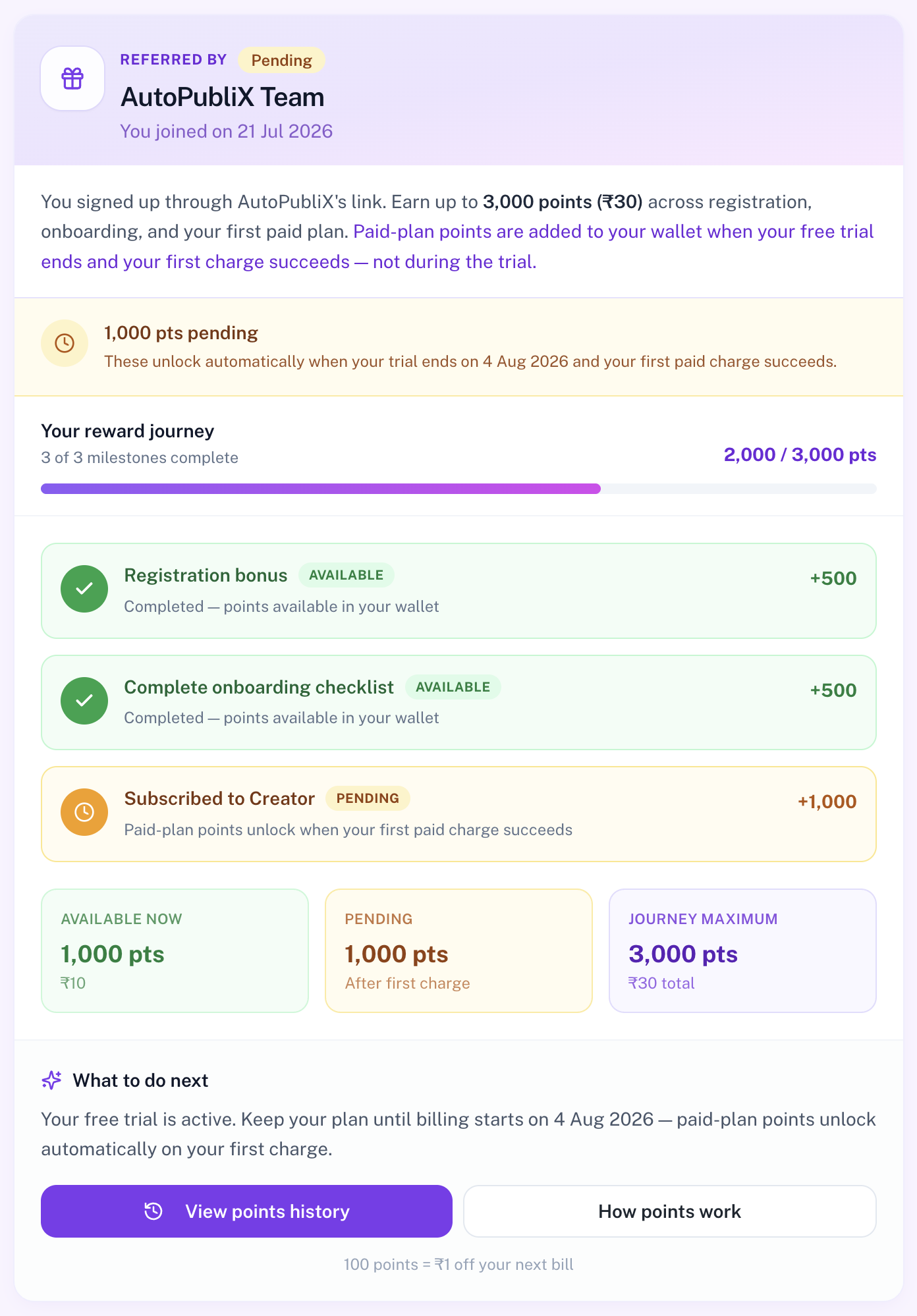
If you joined with someone else's referral link, a My referrer card appears on the Rewards hub. It shows who referred you, when you joined, and your progress toward referral rewards.
You can earn up to 3,000 points across three milestones:
- Registration bonus — awarded when you sign up with a referral link
- Complete onboarding checklist — awarded when onboarding is finished
- First paid plan — awarded when your free trial ends and the first charge succeeds (not during the trial)
Each milestone shows a status badge such as Available, Pending, Free trial, Cancelled, or Up next. A progress bar tracks completed milestones and points earned so far (for example, 2,000 / 3,000 pts).
Summary cards at the bottom break down:
- Available now — points already in your wallet
- Pending — points waiting on the first paid charge
- Journey maximum — total you can earn from this referral path
Use View points history or How points work from the card shortcuts to continue.
Quick Links
- How to earn points — full milestone catalog and redemption timing
- Your referrals — people who signed up with your link
- Points history — earn, redemption, clawback, and rollback activity
How Points Become Available
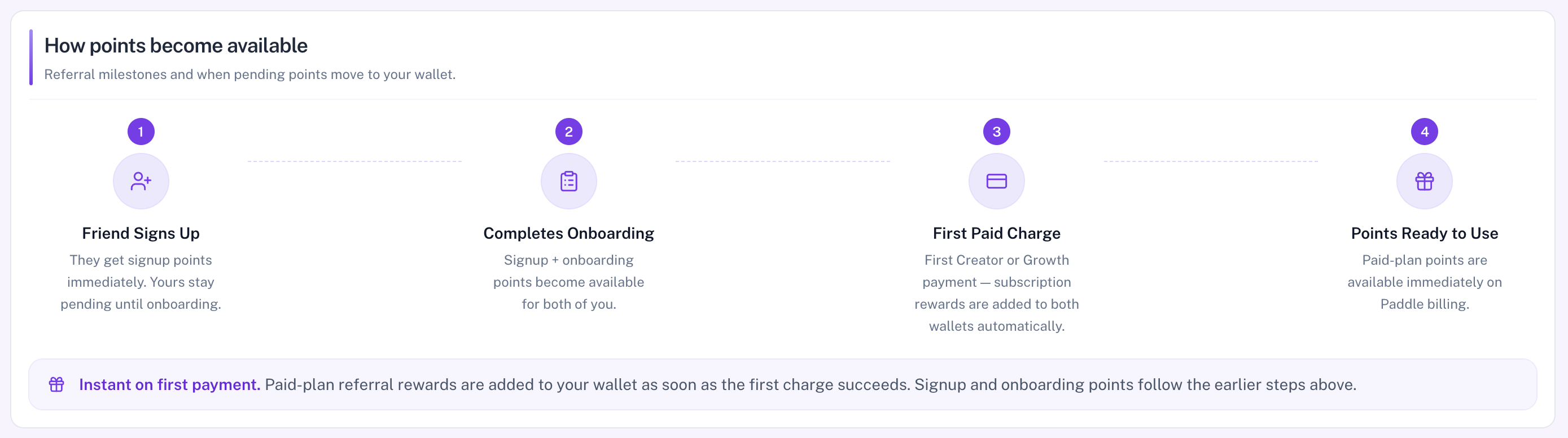
The hub shows a simple timeline for referral rewards — when pending points move into your wallet:
- Friend signs up — they get signup points immediately; yours stay pending until onboarding
- Completes onboarding — signup + onboarding points become available for both of you
- First paid charge — first Creator or Growth payment adds subscription rewards to both wallets automatically
- Points ready to use — paid-plan points are available immediately on Paddle billing
How to Apply Points
Available points convert into a Paddle discount automatically — there is no manual coupon code. What you see on this section depends on your plan and billing provider.
When redemption is unlocked (Paddle)
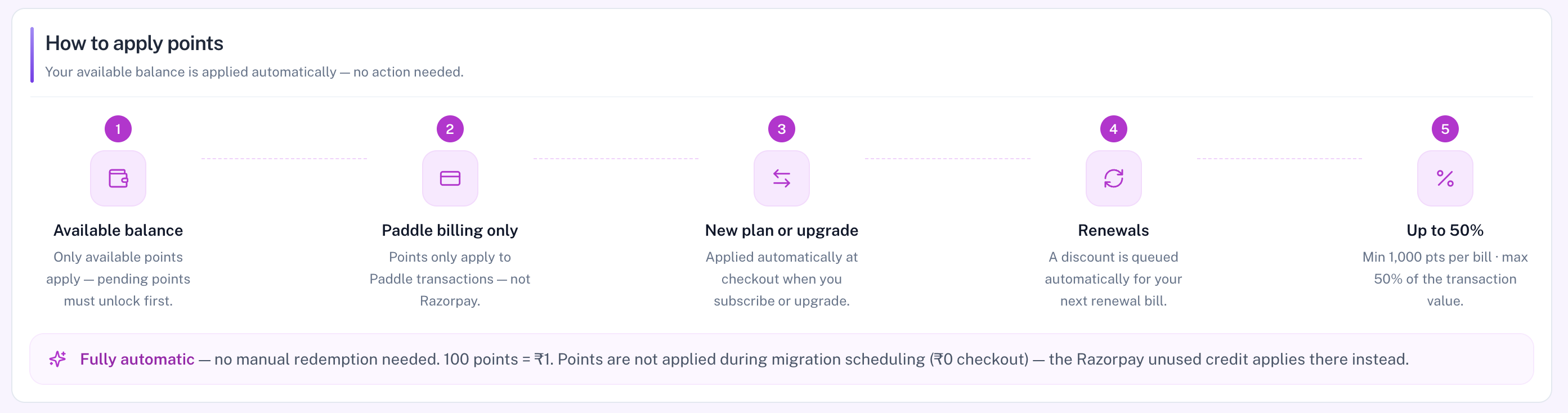
On a paid plan with Paddle billing, the hub explains how points apply:
- Available balance — only available points apply; pending must unlock first
- Paddle billing only — points do not apply to Razorpay transactions
- New plan or upgrade — applied automatically at checkout
- Renewals — a discount is queued for your next renewal bill
- Up to 50% — minimum 1,000 points per bill, max 50% of the transaction (100 points = ₹1)
On a free trial (₹0 / $0 start), points are reserved for the first paid charge after the trial — not the zero-amount trial start. Points are also not applied during migration scheduling (₹0 checkout); unused Razorpay credit applies there instead.
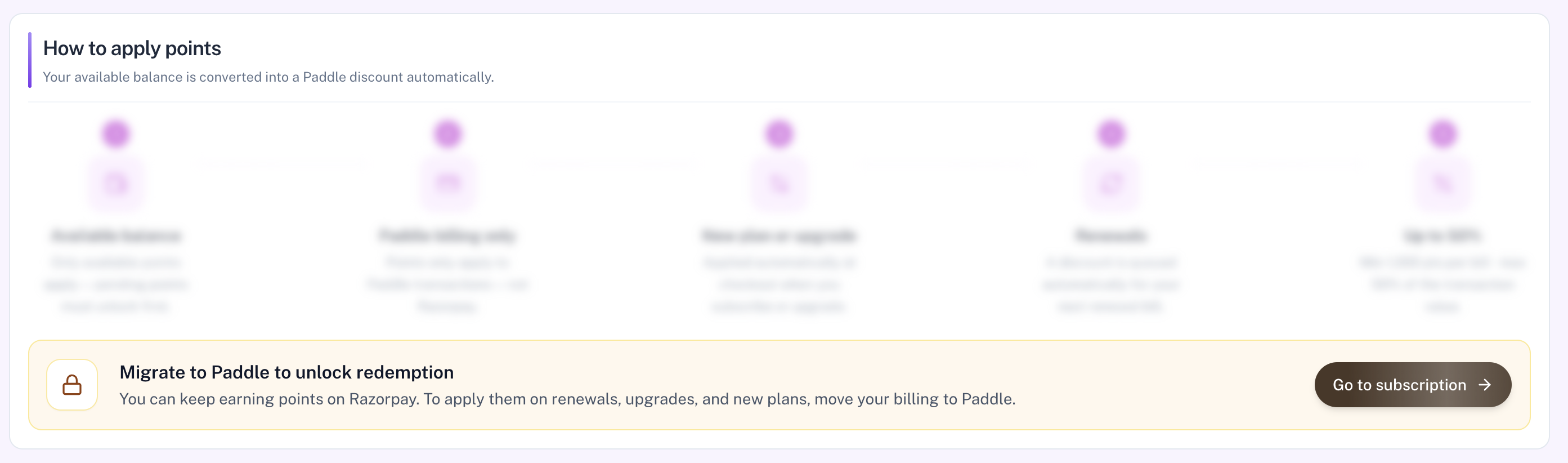
Razorpay users — migrate to unlock redemption
If you still bill through Razorpay, the apply-points steps appear locked. You can keep earning points, but to apply them on renewals, upgrades, and new plans you must move billing to Paddle. Use Go to subscription from the banner to continue.