

Reel Comment Automations
The Reel Comment category runs when someone comments on your reels. Open All Automations → New Automation, choose Reel Comment, then pick a response template.
To open this page, navigate to:
Navigation: Dashboard → All Automations → New Automation → Reel CommentWhat You Can Do
Watch any reel or a specific reel, match keywords, optionally reply publicly, and send a DM with links, FAQs, quick replies, products, or media.
- Same payload docs as other categories: Send Link, Send FAQs, Quick Reply Buttons
- Feed posts use Post Comment.
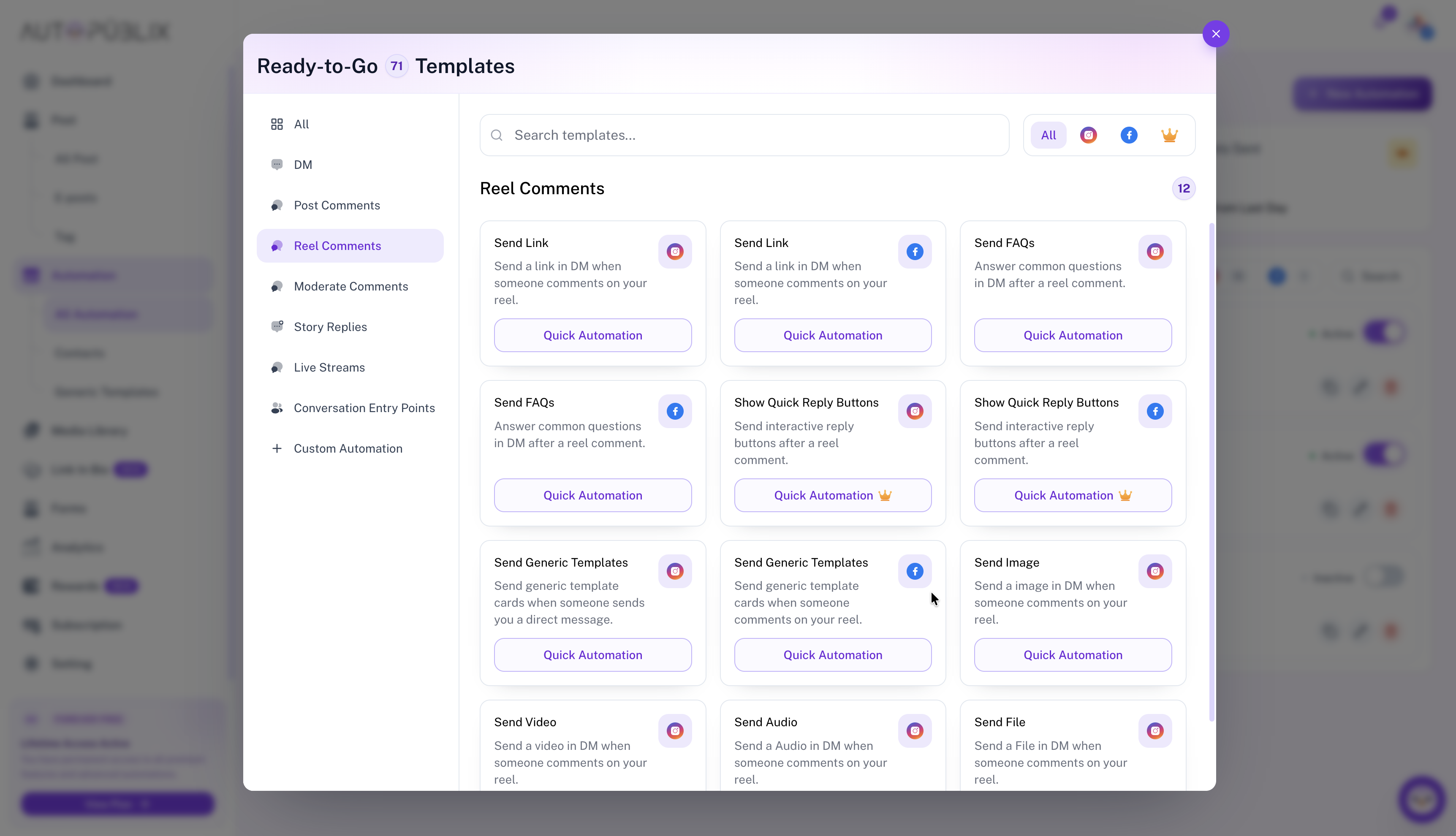
How Reel Comment Works
After you open a Reel Comment template, the builder is split into the trigger (when someone comments on a reel) and what they receive next — a public auto-reply on the comment and/or a DM payload from the template you chose.
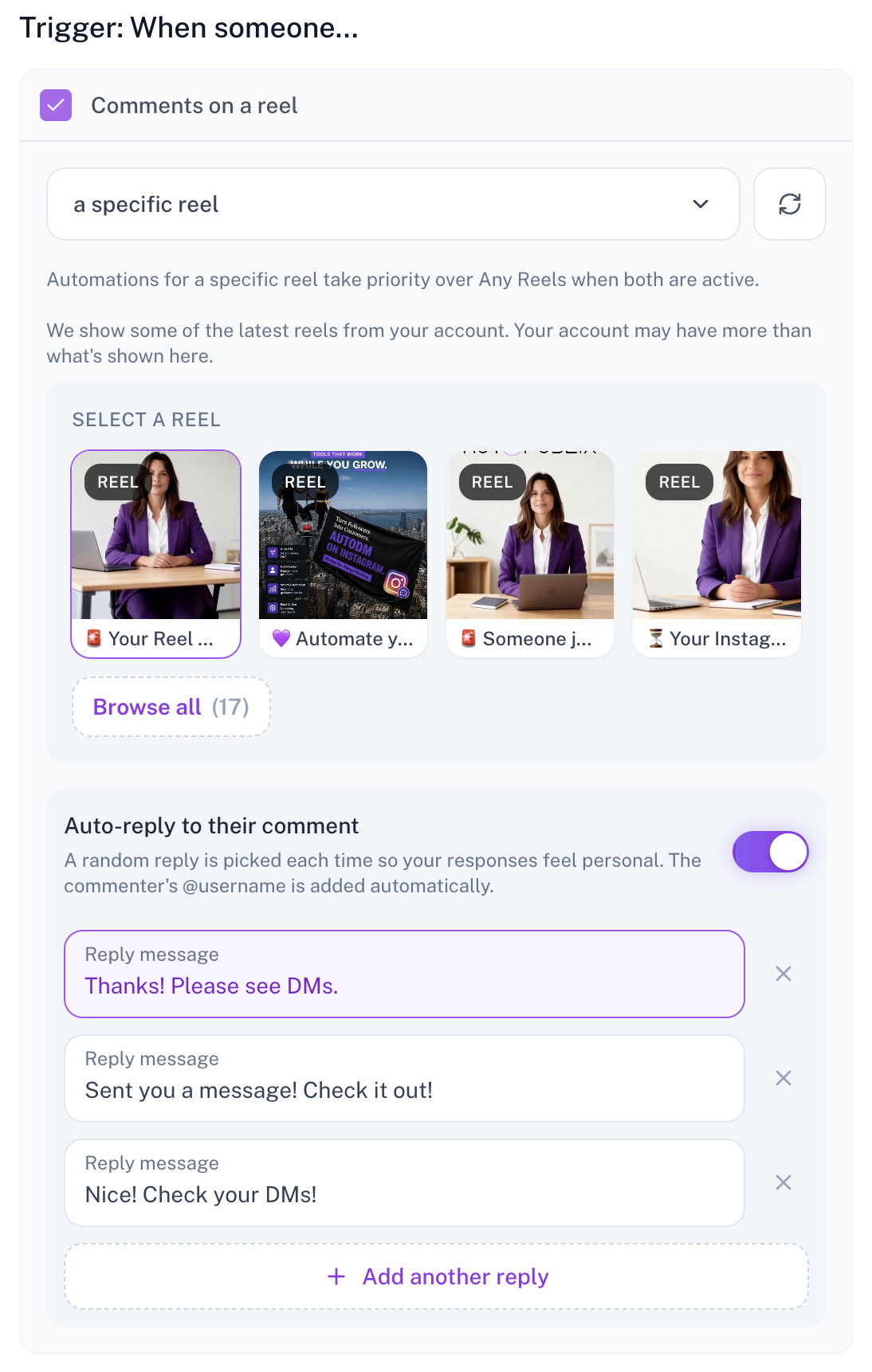
Trigger: When someone comments on a reel
Enable Comments on a reel, then choose:
- Any reels — runs on comments across your reels (subject to keyword rules you set later).
- A specific reel — pick one reel from Select a reel. The picker shows recent reels from the connected account; use Browse all if you need an older one. Use the refresh control to reload the list.
Automations for a specific reel take priority over Any reels when both are active for the same comment.
Auto-reply to their comment
Turn on Auto-reply to their comment to post a public reply under the comment. Add one or more Reply message lines (use + Add another reply for more). Each time, a random reply is picked so responses feel natural. The commenter’s @username is added automatically.
After the public reply (optional), the template’s DM step still runs — for example Send Link, FAQs, or media. Configure that in the same builder under They Will Get / final DM sections (see the payload guides linked above).
Loading reels and plan-locked accounts
The specific-reel picker loads reels from the selected account. If the Instagram account (or Facebook page) is plan-locked, AutoPubliX shows a plain error such as: failed to fetch Instagram reels because the account is locked on your current plan — choose your primary account or upgrade to sync posts.
Plan notes
Quick Reply Buttons requires Creator or Growth. Ask for Emails / Phone collection requires Creator or Growth. Locked media or generic templates are skipped when sending.