Manage Your Posts
The Create New Post page allows you to write, customize, preview, and publish your social media posts from one place.
This page is designed to make posting simple and efficient.
To open this page, navigate to:
Navigation: Dashboard → All Posts → Create New PostWhat You Can Do on This Page
This page allows users to create and publish social media posts across multiple connected platforms from a single interface. Users can add content, upload media, insert hashtags, and enhance posts using the AI Assistant, making content creation faster and more efficient.
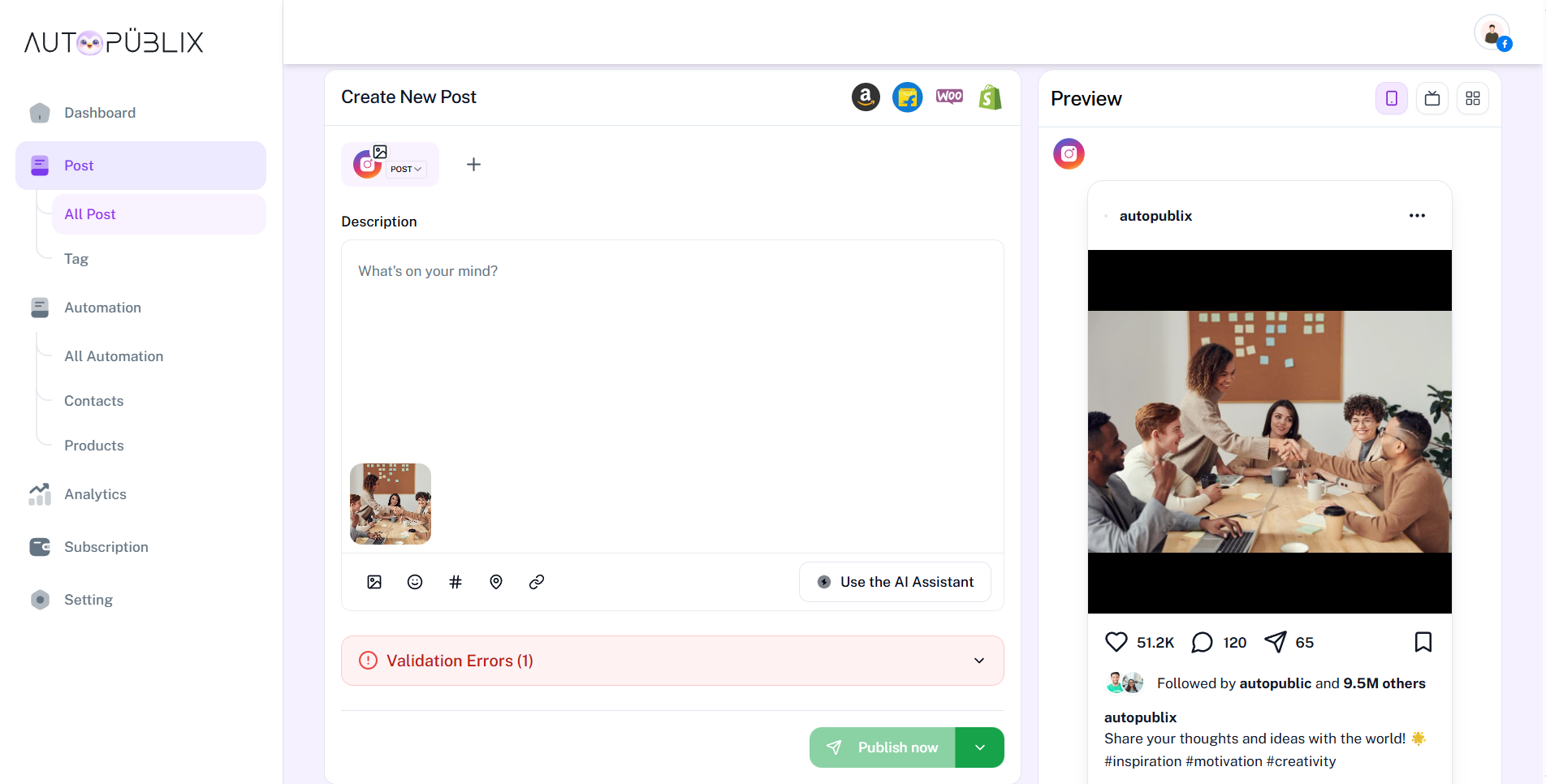
A live preview is displayed alongside the editor, helping users visualize how the post will appear before publishing. Users can choose to publish instantly, schedule the post, or save it as a draft, ensuring full control over their content workflow.
Select Platform
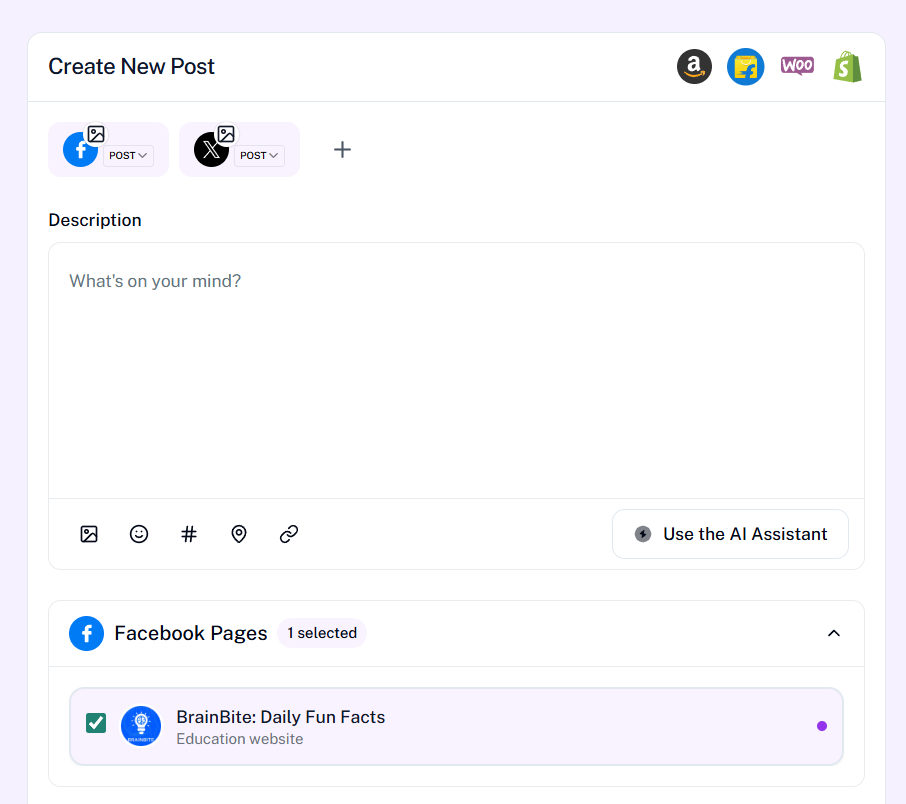
At the top of the page, you can choose the platform where you want to post.
Available platforms may include:
- Twitter (X)
You can:
- Select one platform
- Add multiple platforms using the "+" option
This allows you to publish the same content across different social media accounts.
Write Your Post
Use the Description field to write the main text of your post — updates, promotions, announcements, or anything you want to share. As you type, the live preview on the right updates so you can see how the caption will look before you publish.
Below the Description field, a toolbar helps you enrich your post without leaving the editor:
- Add image — upload photos or graphics to include with your caption
- Add emoji — insert emojis to make your message more expressive
- Add link — include a URL so followers can click through to a page or offer
- Add hashtag — add relevant hashtags to help people discover your post
- Add location — tag a place when your post is tied to a venue or area
You can mix these tools as needed — write the caption first, then add media, hashtags, and links until everything looks right in the preview.
Use the AI Assistant
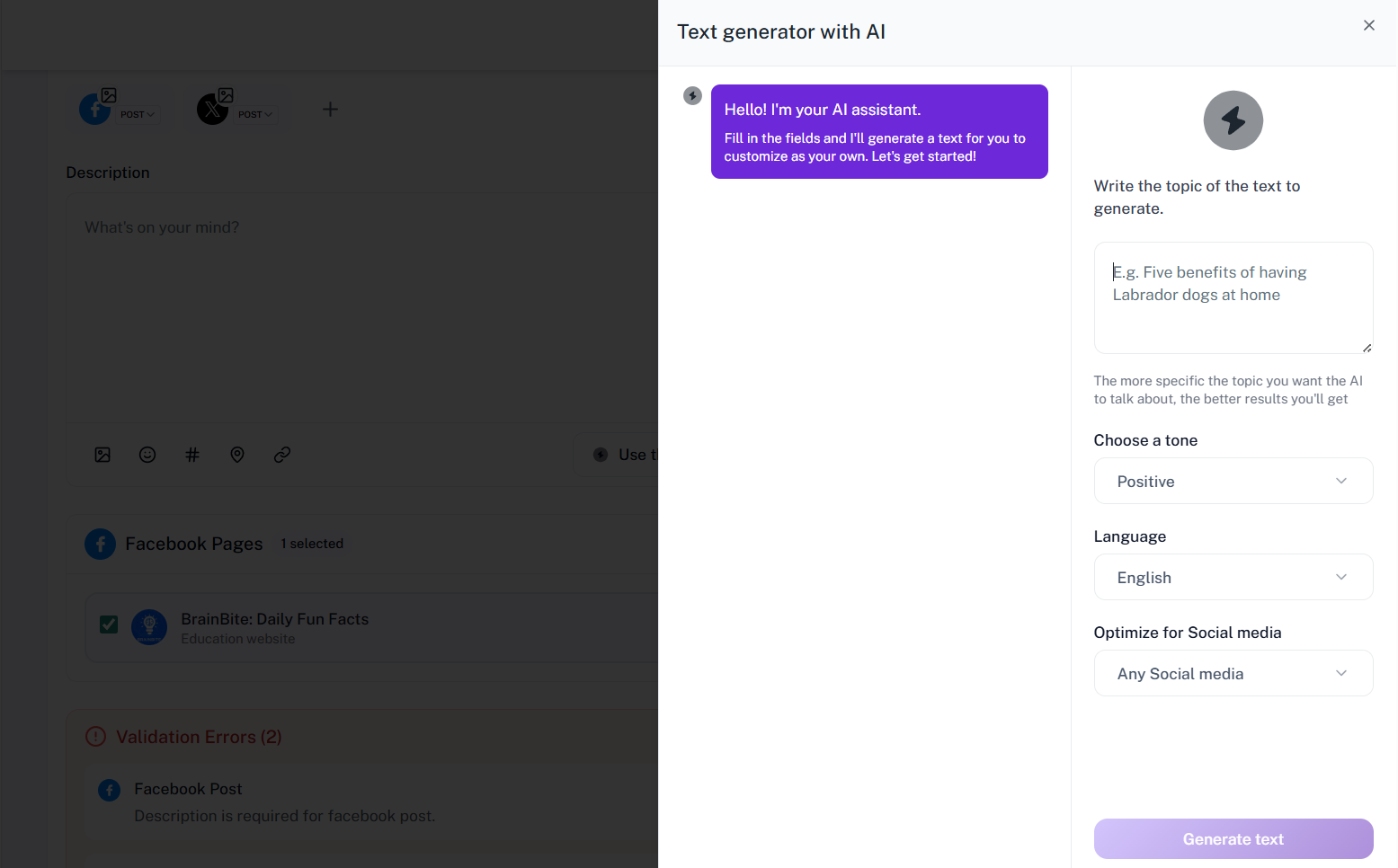
You can click “Use the AI Assistant” to quickly generate high-quality content for your posts. Simply enter your topic, choose the tone and language, and the AI will create ready-to-use text tailored for social media. This makes it easy to come up with fresh content ideas without spending too much time or writing from scratch.
The AI Assistant can also help you improve your existing text, rewrite content, add relevant hashtags, and make your message more engaging. It ensures your posts are optimized for better reach and interaction, helping you save time while maintaining professional and impactful content.
AI usage is measured in monthly tokens: 4,000 on Free, 10,000 on Creator, and 20,000 on Growth. When you reach the limit for your plan, upgrade or wait until the next billing cycle to continue generating content.
Preview
On the right side, you will see a live preview of your post as you create or edit it. This preview shows how your content will appear on the selected platform, including images, captions, and formatting, giving you a clear visual representation before publishing.
It helps you review your content in real time, check formatting, verify hashtags, and ensure everything looks accurate and well-structured. This feature reduces errors and allows you to make quick adjustments, ensuring your post is polished and ready to perform.
Publish Options
The Publish Options allow you to choose how and when your post will be shared.
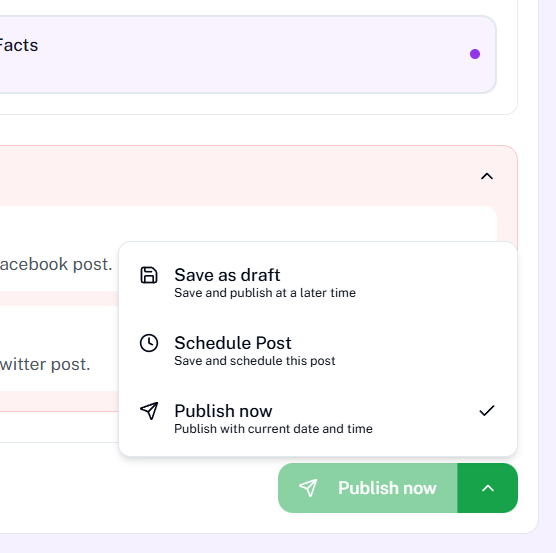
You can access these options by clicking the dropdown next to the Publish Now button.
- Save as Draft : This option saves your post without publishing it.
- Schedule Post : This option allows you to choose a future date and time for your post.
- Publish Now : This option publishes your post immediately using the current date and time.
This allows you to control when your post is visible to your audience.
Edit Your Post
You can only update draft and scheduled posts. Published posts cannot be updated.
To update a post, click the pencil icon on the Post List page. This opens the Edit Post page where you can make your changes.
View Post Details
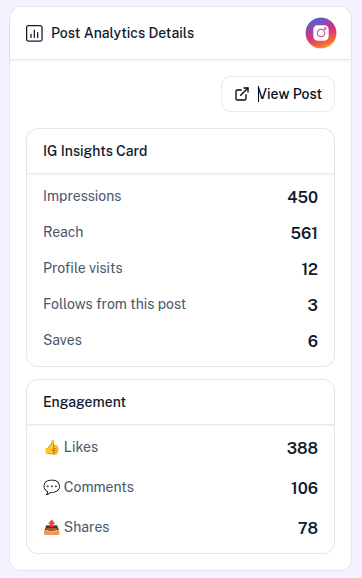
Here you can see all the details of a published post along with its analytics. The View Post Details view gives you a complete picture of how your content is performing on the connected platform, so you can track results and understand what resonates with your audience.
The Post Analytics Details card shows platform-specific insights such as impressions, reach, profile visits, follows from the post, and saves. Use the View Post button to open the actual post on the platform. The Engagement section displays likes, comments, and shares so you can see how your audience is interacting with the content.
These metrics help you measure the impact of your posts, identify top-performing content, and make informed decisions for future campaigns. Analytics are available for published posts on supported platforms such as Instagram.
Product Imports
The Product Imports feature allows you to quickly add product details to your posts by importing them directly from supported eCommerce platforms. Instead of manually entering product information, you can simply select a platform and provide a product link or choose a product from your store. The system automatically fetches all the necessary details and inserts them into the post editor, making content creation faster and more efficient.
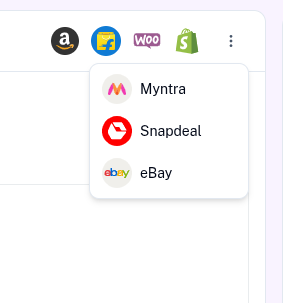
On the Create Post and Edit Post pages, under the Connect section, you will find multiple platforms such as Amazon, Flipkart, WooCommerce, Shopify, and a More option. When you click on More, additional platforms like Myntra, Snapdeal, and eBay are available. For most platforms, clicking on them opens a popup where you can paste the product link and click Insert Product to import the details instantly.
Once the product is added, the system automatically retrieves key information such as the product title, description, price, stock status, buy URL, and multiple images. Additionally, AI enhances the process by intelligently extracting product data and generating relevant product tags, helping improve content quality and making your posts more engaging and optimized.
For WooCommerce and Shopify, users must first connect their store from the Store Connections section by providing required details like website URL and API or secret keys. After connecting, clicking on these platforms will display all available store products in a popup. You can then select a product and click Import Now to directly insert it into your post, making it easy to manage and promote your own store products.