

Story Replies Automations
The Story Replies category covers automations that run when someone replies to your story on Instagram or Facebook. Open All Automations → New Automation, choose Story Replies, then pick a response template such as Send Link, Send FAQs, Quick Reply Buttons, or media.
To open this page, navigate to:
Navigation: Dashboard → All Automations → New Automation → Story RepliesWhat You Can Do
Configure keyword filters (specific words or any reply), optional public/story-side replies where the template supports them, and a final DM payload — links, FAQs, quick replies, generic templates, or media from the Media Library.
- Response how-tos: Send Link, Send FAQs, Quick Reply Buttons, Generic Templates
- Related: Story Mentions (when someone mentions you in their story — different trigger)
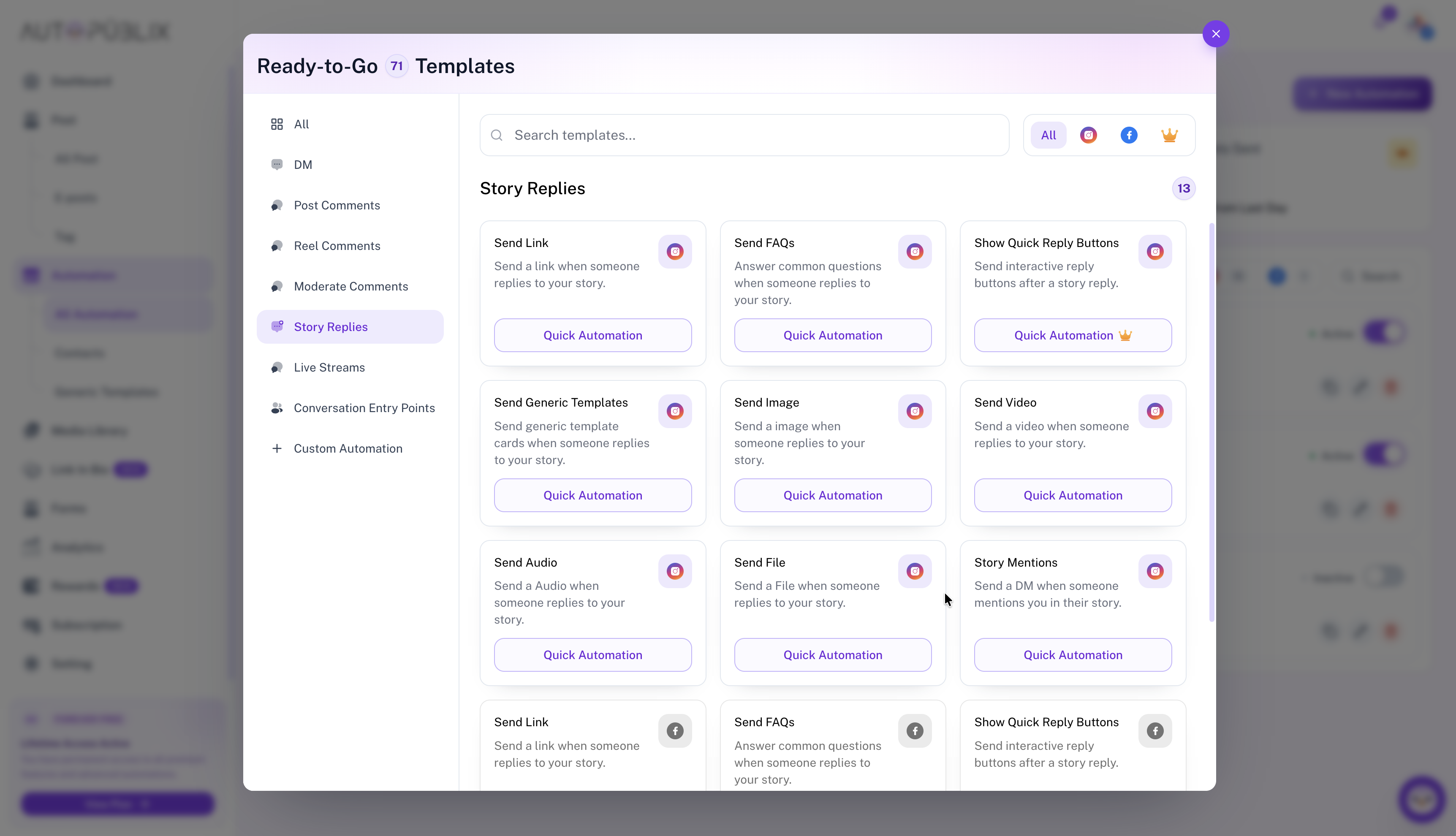
How Story Replies Work
After you open a Story Replies template, set the trigger for when someone replies to your story, then configure the DM (or other) response in the same builder.
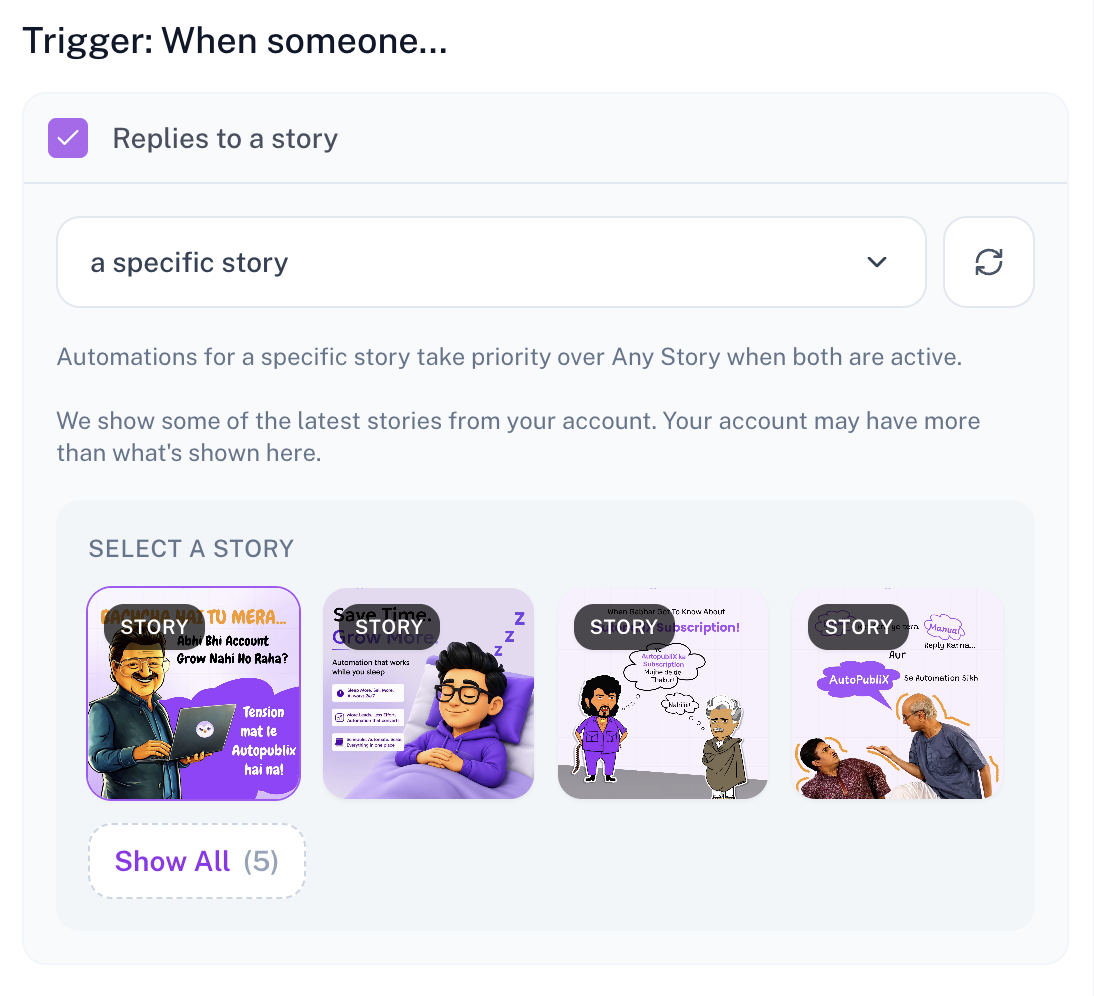
Trigger: When someone replies to a story
Enable Replies to a story, then choose:
- Any story — runs when someone replies to any of your active stories (subject to keyword rules you set later).
- A specific story — pick one story from Select a story. The picker shows recent stories from the connected account; use Show All if you need another one. Use the refresh control to reload the list.
Automations for a specific story take priority over Any story when both are active for the same reply.
Stories expire after 24 hours, so the picker only lists currently available stories. After the trigger matches, the template’s DM step runs — for example Send Link, FAQs, or media (see the payload guides linked above).
Platform, accounts, and plan locks
Select Instagram or Facebook and the connected account or page. Plan slots are 1 / 3 / 5 logins on Free / Creator / Growth. Excess accounts stay connected but are plan-locked.
Premium templates in this category
Quick Reply Buttons under Story Replies requires Creator or Growth. Send Link, FAQs, generic templates (non–live-stream), and most media sends remain available on Free subject to DM and media plan limits.